🍌 "Smoke Banana" Calendar

Stay updated with the team's airsoft games and events.

Subscribe on iOS / Apple
Subscribe on Google Calendar
Google mobile bug: Adding via phone often fails despite the "Success" message. Add this calendar on a PC first. It will then sync to your phone automatically.

Desktop manual setup:

  1. Open Google Calendar on your PC.
  2. Click + next to "Other calendars".
  3. Select "From URL".
  4. Paste the Direct URL shown above.
  5. Click Add calendar.
  6. Navigate back to the list of calendars
  7. Hover added calendar and click three dots symbol, then "Settgins"
  8. Adjust added calendar settings as necessary

Save to phone

iOS
Android
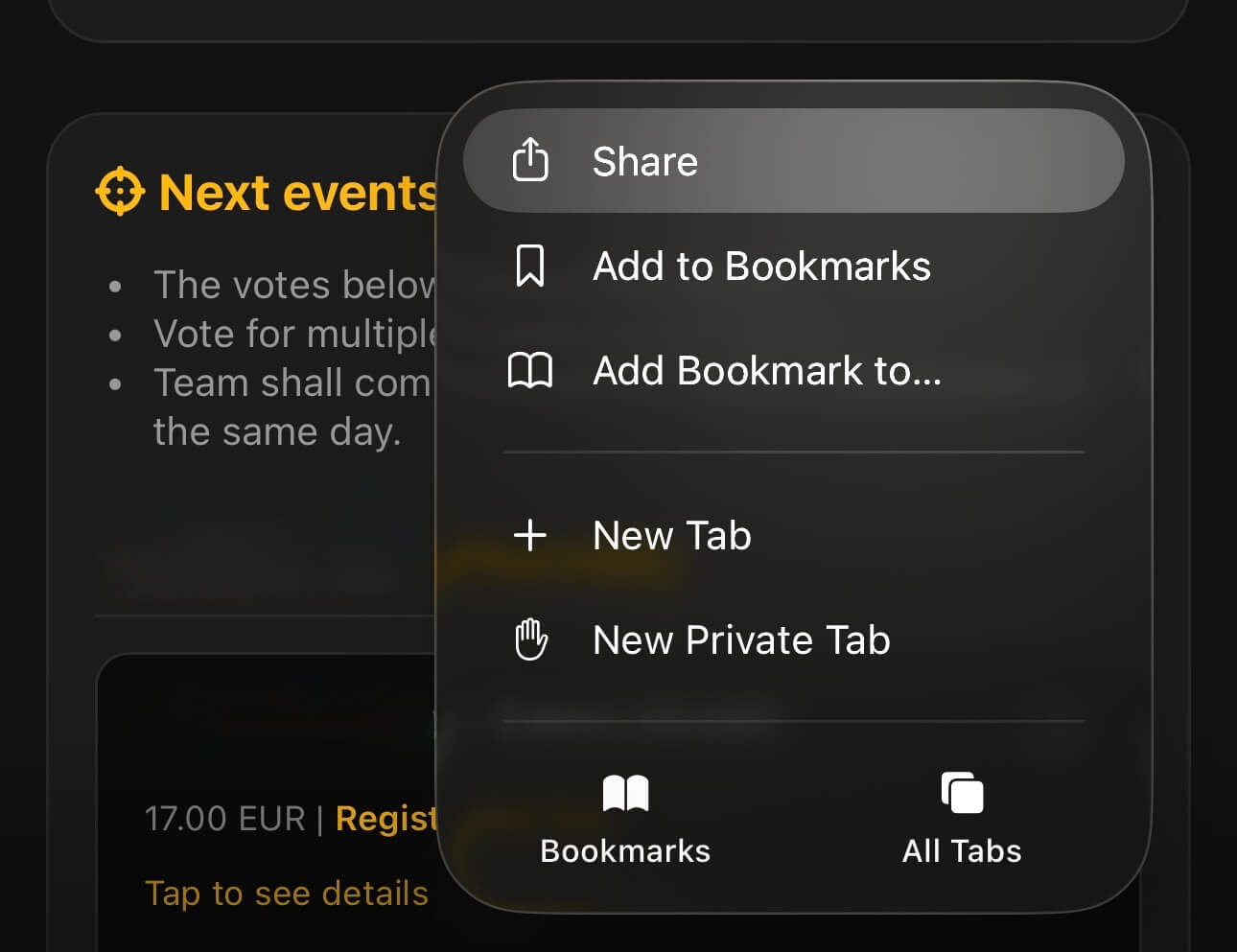
  1. Open this website in Safari.
  2. Tap the three dots icon for the menu.
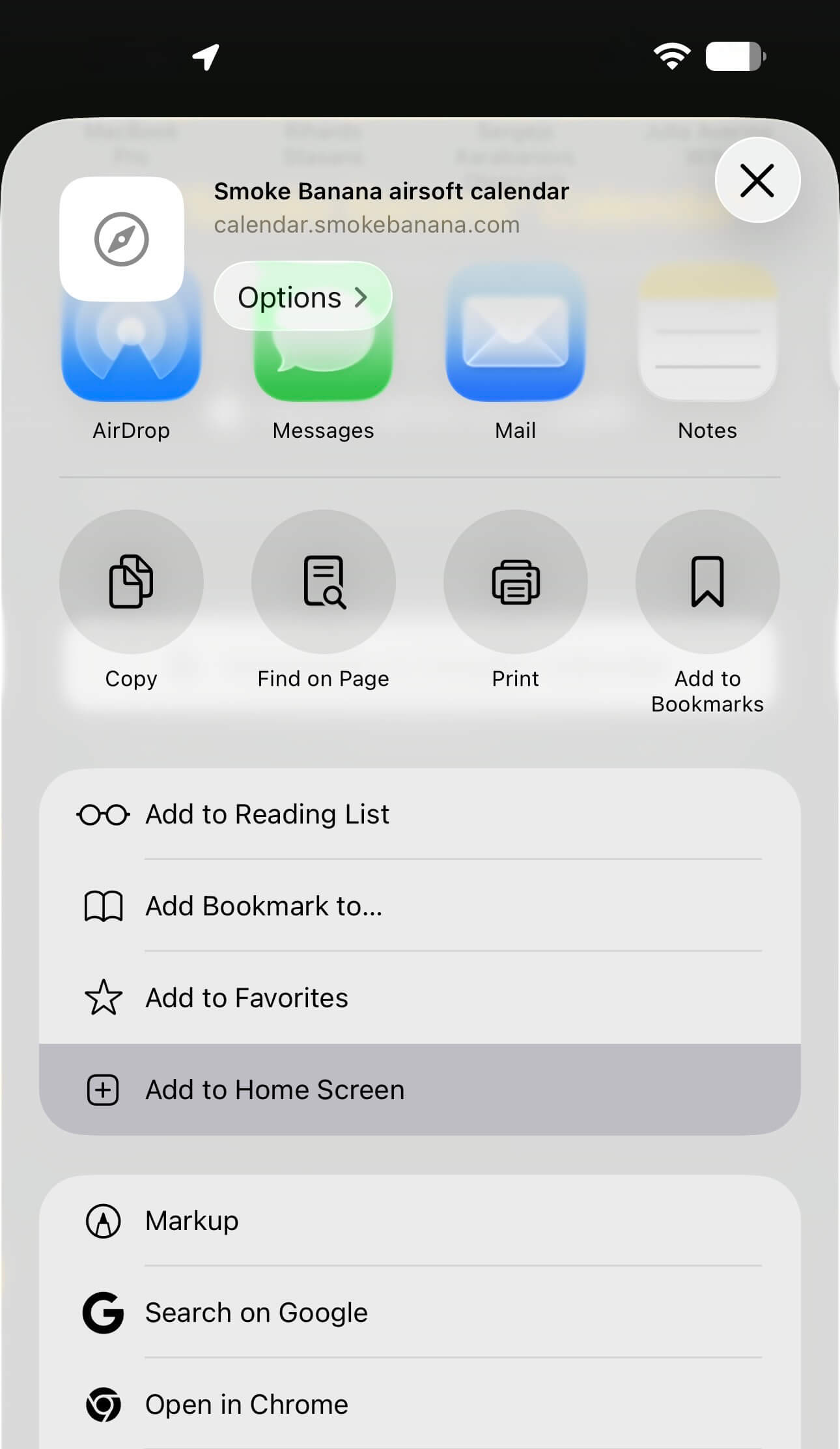
  3. Tap the Share icon.
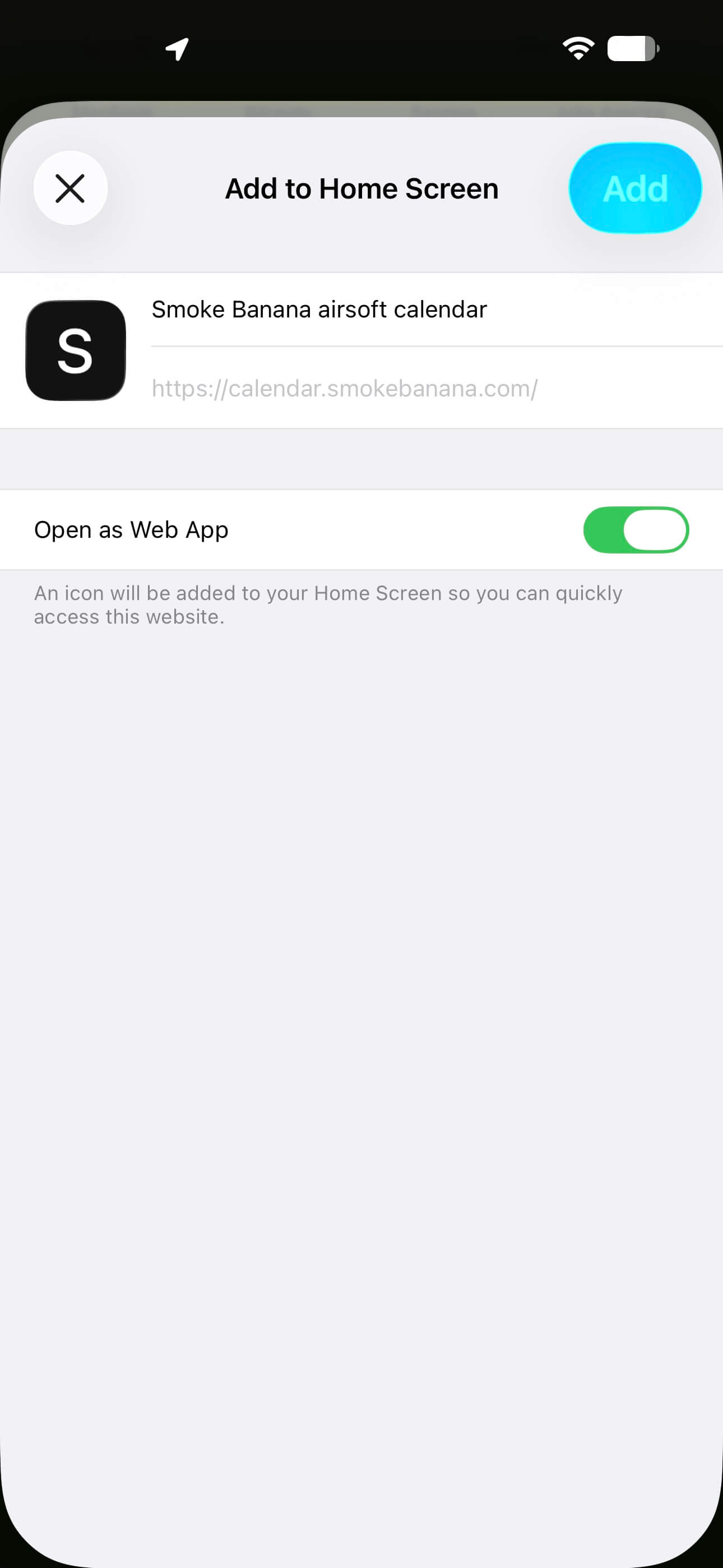
  4. Scroll down for "Add to Home Screen".
iOS Step 1 iOS Step 2 iOS Step 3
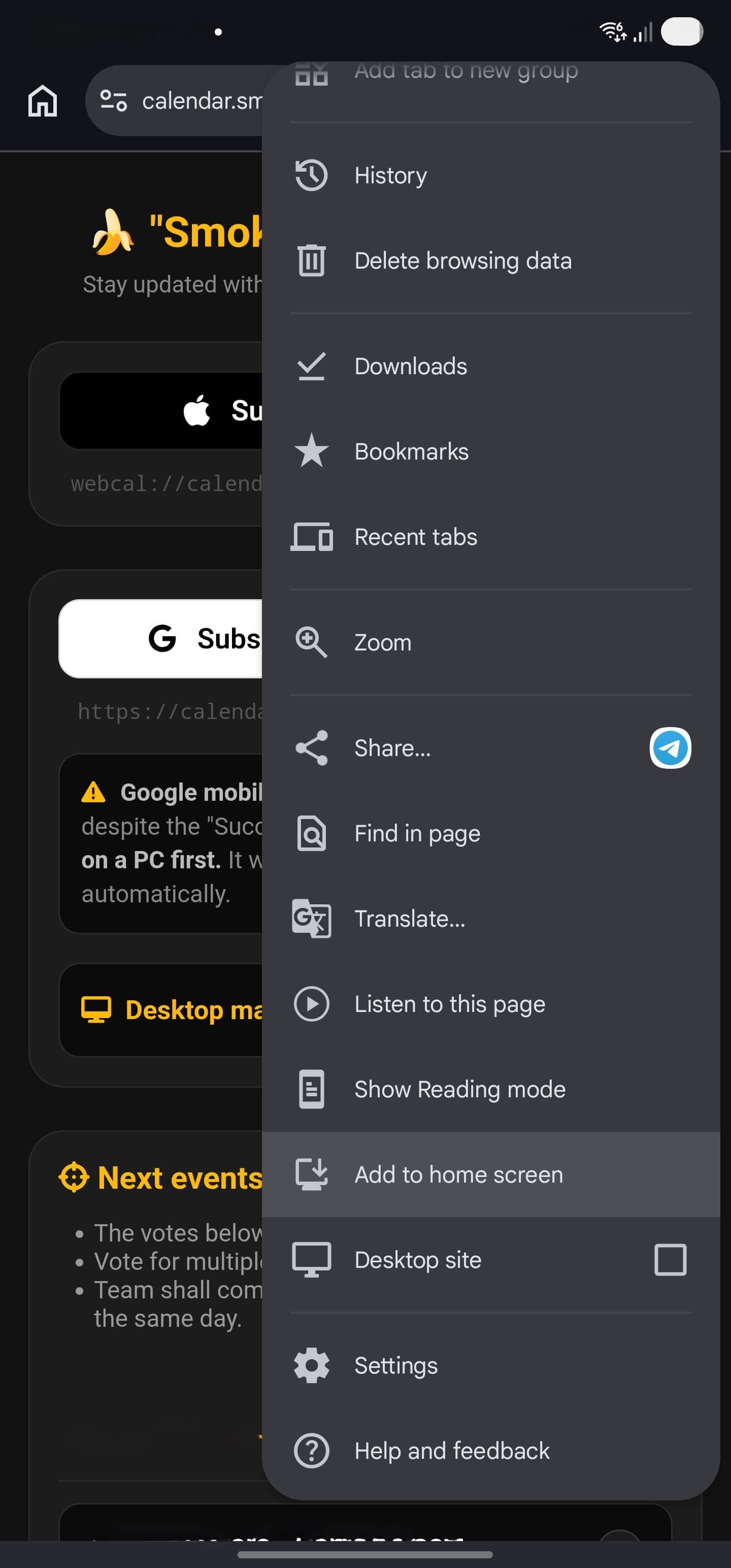
  1. Open this website in Chrome.
  2. Tap the three dots icon for the menu.
  3. Scroll down for "Add to home screen".
Android Step

Next events

Loading scheduled operations...